
Managed vs Unmanaged Switch: The Ultimate Comparison Guide & What Is a PoE Switch?
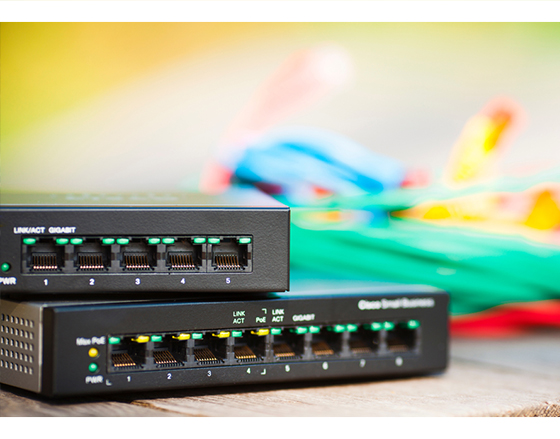
Ethernet switches are essential to modern business and industrial networks. They connect computers, cameras, wireless access points, PLCs, sensors, robots, and other devices while directing traffic across the network.
However, not every switch provides the same level of control. The key decision often comes down to managed vs unmanaged switch options. Unmanaged switches offer simple, plug-and-play connectivity, while managed switches provide configuration, monitoring, security, and—in the case of Layer 3 models—routing capabilities.
Another important consideration is Power over Ethernet, or PoE. A PoE switch can deliver both data and electrical power through one Ethernet cable, simplifying deployment for supported devices.
This guide explains the differences between managed and unmanaged switches, introduces PoE switching, and helps businesses choose the right network infrastructure for their needs.
What Is an Unmanaged Switch?
An unmanaged switch is a basic Ethernet switch designed for simple connectivity. It requires no software configuration, web interface, or network administration. Users can connect devices, power on the switch, and begin transmitting data immediately.
Key Features and Advantages
Unmanaged switches are typically valued for their simplicity. Common advantages include:
- Plug-and-play installation
- Low upfront cost
- No configuration or ongoing management
- Reliable connectivity for basic networks
- Minimal IT expertise required
Because unmanaged switches offer no configuration capabilities, they are best suited to small, low-complexity environments where all devices share the same network segment and security segmentation is not a requirement.
Common Use Cases
Typical unmanaged switch applications include:
- Small office networks
- Basic retail systems
- Simple CCTV installations
- Home offices
- Small machine cells
- Temporary network expansion
- Non-critical device connections
However, unmanaged switches are usually not ideal for larger businesses or industrial environments that require network segmentation, access control, traffic prioritization, monitoring, or routing.
What Is a Managed Switch?
A managed switch gives network administrators control over how devices communicate, how traffic is prioritized, and how security policies are applied. Unlike unmanaged switches, managed switches can be configured through a web interface, command-line interface, or centralized network management software.
For organizations comparing managed vs unmanaged switch options, the most important distinction is visibility and control, and the operational consequences that follow from having or lacking them. A managed switch allows teams to monitor traffic, segment devices, troubleshoot faults, and apply security policies across the network.
Advanced Features for Full Network Control
Managed switches can support advanced features such as:
- VLAN configuration
- Quality of Service (QoS)
- Port monitoring and mirroring
- Link aggregation
- Access control lists
- SNMP-based network monitoring
- Redundancy protocols
- Port security
- Traffic prioritization
- Network diagnostics
VLANs are particularly important because they allow administrators to logically separate devices within the same physical network. The IEEE 802.1Q standard defines bridges and VLAN mechanisms that support this type of network segmentation.
For example, a business can separate office systems, IP cameras, production equipment, engineering workstations, and guest networks into different VLANs. This reduces unnecessary traffic and helps strengthen security.
Layer 3 Managed Switches for Routing
Not every managed switch is a Layer 3 switch. Many operate at Layer 2, handling MAC-address-based traffic forwarding within the same network segment, but without the ability to route between VLANs or subnets.
A Layer 3 managed switch, also called a multilayer switch, adds routing capabilities. It can route traffic between VLANs and IP subnets, allowing organizations to control how different network zones communicate.
Layer 3 managed switches are especially useful for:
- Industrial automation networks
- Factory and warehouse segmentation
- Large office networks
- Multi-department business environments
- OT and IT network separation
- Networks with multiple VLANs or subnets
For industrial environments, Layer 3 routing can help isolate production devices, robots, HMIs, PLCs, cameras, and enterprise systems while allowing only approved traffic to move between zones.
Smart Switches (Lightly Managed Switches)
Smart switches, also called lightly managed switches, sit between unmanaged and fully managed switches.
They may offer basic features such as:
- Simple VLAN setup
- Limited QoS controls
- Port status monitoring
- Basic link aggregation
- Web-based configuration
Smart switches can be a practical option for smaller businesses that need more control than an unmanaged switch but do not require the full feature set of a managed Layer 3 switch.
Managed vs Unmanaged Switch: Key Differences
When comparing a managed vs unmanaged switch, businesses should consider more than price. The right choice depends on network scale, security needs, device types, and future expansion plans.
Control and Configuration
An unmanaged switch operates automatically, forwarding traffic without user-defined rules or configuration. That simplicity is its strength in low-complexity environments — and its limitation everywhere else.
A managed switch gives administrators direct control over how the network behaves. Ports can be configured individually, VLANs assigned, traffic prioritized, and network status monitored in real time. When communication issues arise, managed switches provide the diagnostic visibility needed to identify and resolve problems quickly, rather than leaving teams guessing at the physical layer.
For simple, static networks, unmanaged switching may be sufficient. For growing networks with many devices, managed switching provides the visibility and control needed to maintain stable, secure performance.
Security
Security is where the gap between managed and unmanaged switches becomes most consequential. On an unmanaged switch, every connected device shares the same network environment with no logical separation between them. There are no access controls, no traffic policies, and no way to contain a problem once it reaches the network.
Managed switches address this directly, supporting capabilities such as:
- VLAN segmentation
- Port-based access control
- MAC address filtering
- Access control lists
- Port shutdown policies
- Secure remote management
- Traffic monitoring
For industrial and OT environments, segmentation is especially important. The NIST Guide to Operational Technology Security emphasizes that OT systems have distinct reliability, safety, and security requirements. Managed switches can help organizations isolate critical equipment from general business traffic, enforce boundaries between network zones, and reduce unnecessary exposure across the operational environment.
Routing
Unmanaged switches do not route traffic between networks or VLANs. Layer 2 managed switches introduce VLAN segmentation but still rely on an external router or firewall to move traffic between those segments. Layer 3 managed switches remove that dependency entirely, handling inter-VLAN routing directly within the switch itself.
For larger or more complex networks, this matters: routing decisions happen faster, traffic stays within the switching infrastructure, and organizations avoid the bottleneck of sending all inter-segment communication through a separate device.
For example, a Layer 3 managed switch can allow an engineering workstation to communicate with a production PLC network while preventing unrelated office devices from accessing the same segment.
The Game Changer: What Is a PoE Switch?
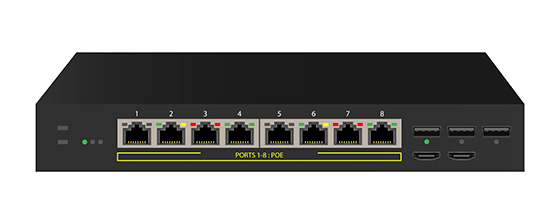
A PoE switch — Power over Ethernet — delivers both network data and electrical power through a single Ethernet cable, eliminating the need for a separate power outlet at the device location.
This approach can simplify installation because supported devices do not need a separate nearby power outlet. The switch supplies power through the Ethernet cable while also maintaining network connectivity.
The IEEE 802.3bt standard expanded standardized PoE capabilities by supporting power delivery over all four pairs in structured Ethernet cabling, increasing the maximum power available to connected devices.
Understanding Power over Ethernet (PoE)
PoE technology is commonly used to power devices such as:
- IP cameras
- Wireless access points
- VoIP phones
- Access control systems
- IoT sensors
- Industrial monitoring devices
- PoE-enabled lighting
Before deploying PoE, businesses should confirm that the switch, cabling, and powered devices support compatible PoE standards, that each switch port can deliver sufficient power for its connected device, and that the switch's total power budget can support all connected devices simultaneously.
Benefits of Using a PoE Switch
A PoE switch can help organizations:
- Reduce cable clutter
- Simplify installation
- Lower electrical installation costs
- Improve flexibility for device placement
- Centralize network and power management
- Support easier deployment in difficult-to-reach areas
For example, an IP camera can be mounted in a warehouse aisle, production zone, or outdoor access point without requiring a separate electrical outlet at the installation location.
PoE Switch vs PoE Injector
A PoE switch provides both data connectivity and power across multiple Ethernet ports.
A PoE injector is a separate device that adds power to a single Ethernet cable. It is often used when an existing non-PoE switch needs to power one PoE-enabled device.
In general:
- Choose a PoE switch when powering multiple devices or building a scalable network.
- Choose a PoE injector when adding power to one or a small number of devices on an existing network.
Managed PoE vs Unmanaged PoE Switches
A managed PoE switch combines power delivery with full network management. Administrators can monitor ports, manage VLANs, prioritize traffic, and—in select models—control power delivery to individual devices remotely.
An unmanaged PoE switch provides simple plug-and-play power and connectivity without advanced configuration.
A managed PoE switch is often preferable when a business needs to monitor critical cameras, access points, sensors, or industrial devices. An unmanaged PoE switch may be suitable for simple deployments with limited security and monitoring requirements.
How to Choose the Right Switch for Your Business
The right switch depends on current needs and future growth plans. Before choosing between managed, unmanaged, PoE, or Layer 3 switches, consider the following factors.
Network Size and Device Count
For small, static networks with a limited number of similar devices, an unmanaged switch is often sufficient.
The moment a network begins to grow in device count, device diversity, or traffic complexity, a managed switch becomes the more practical long-term choice. Unmanaged switches do not scale gracefully; managed switches are built to.
Security Requirements
If the network handles sensitive data, operational technology, remote access, cameras, production systems, or connected equipment, a managed switch is usually the stronger choice.
Managed Layer 3 switches are particularly useful when the business needs network segmentation, routing control, and stronger separation between IT and OT systems.
Power Requirements
If the network includes devices that support Power over Ethernet — cameras, wireless access points, sensors, access control systems, or industrial monitoring equipment — a PoE switch can simplify deployment considerably by eliminating the need for separate power runs to each device location.
When selecting a PoE switch, evaluate:
- Number of PoE-enabled devices
- Required power per device
- Total switch power budget
- Cable distance
- Environmental conditions
- Future expansion needs
IT Expertise
Unmanaged switches require almost no technical knowledge to deploy.
Managed switches require more configuration and maintenance, but they provide greater long-term value for businesses that need security, visibility, and reliable network performance.
Organizations without dedicated IT resources may start with smart switches or work with an experienced networking partner to deploy and manage a more advanced architecture.
Reliable Network Infrastructure with NEXCOM
Reliable network infrastructure is essential for connected manufacturing, warehouse automation, smart buildings, transportation, and industrial IoT applications.
NEXCOM provides industrial networking and communication solutions designed to help businesses build secure, scalable, and resilient network environments. For organizations managing industrial devices, edge systems, cameras, controllers, and OT networks, the right infrastructure must support more than basic connectivity.
For mission-critical industrial applications, managed Layer 3 switching gives organizations the traffic control, system segmentation, and IT/OT boundary enforcement needed to protect operational infrastructure. PoE-enabled infrastructure can also simplify deployment for cameras, sensors, and wireless devices across complex facilities.
Explore NEXCOM's networking and communication solutions or contact NEXCOM to discuss the right switching and PoE infrastructure for your industrial network — and build a more secure, scalable foundation for connected operations.
- Related Links:
- What Is ROS 2? Architecture, ROS 1 vs. ROS 2, and Migration Guide
- What Is Manufacturing Process Automation? Types, Benefits, Use Cases, and 7 Implementation Steps
- Browse Other News:
- When the Control Room Needs an Answer: Building the Local Video Node for Centralized Transportation Monitoring
- Before the Numbers Could Talk: Verifying Energy Savings at a Water Treatment Plant
- All Blog News
